
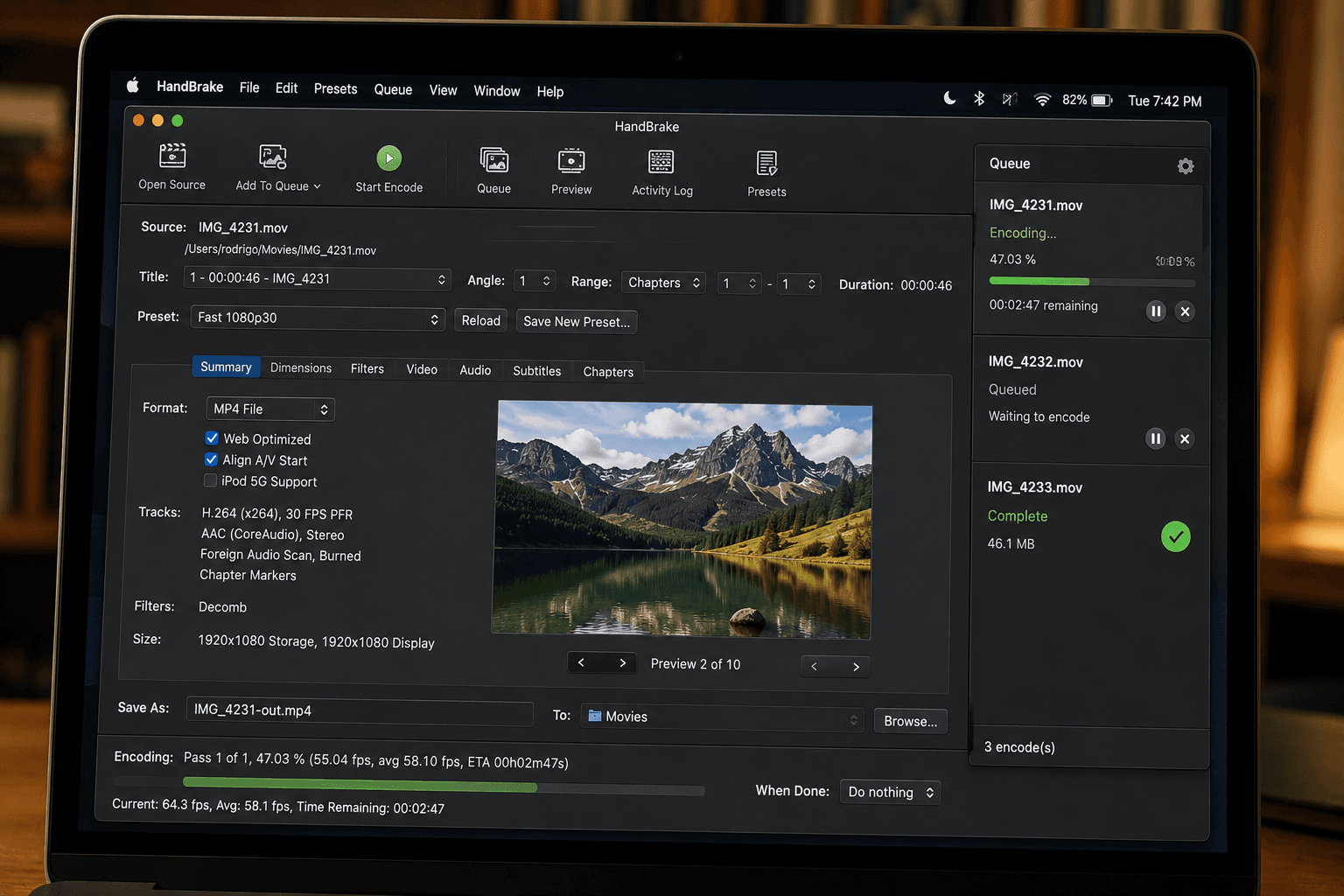
If you have spent any time researching free video compression tools, HandBrake is the elephant in the room. It has been around since 2003, it is open-source, it is powerful, and serious video professionals swear by it.
I will be honest: I made CompressYourVideo, and I think for most people most of the time, it is a better choice. But that is not because HandBrake is bad. HandBrake is excellent at what it does. It is just that what HandBrake does and what CompressYourVideo does are different things.
Here is an honest breakdown of when to use each.
What HandBrake Is
HandBrake is a desktop application (Windows, macOS, Linux). You download it, install it, and run it on your computer. It is open-source under the GPL, free forever, and has been a staple of the video community for two decades.
HandBrake's strengths: - Batch processing: queue up 50 videos, hit start, walk away - Granular control: 200+ encoding parameters you can tune - Subtitle handling: extracting, embedding, burning in - Chapter markers: from DVDs, Blu-rays, MP4 files - Multiple audio tracks: keeping or stripping different language tracks - Format flexibility: outputs MP4, MKV, WebM with most modern codecs - No file size limit: works on anything your computer can hold
HandBrake's weaknesses: - You have to install it: 50-100 MB download, OS-specific installer, asks for permissions - Learning curve: the default settings work but the power is in tuning, which requires understanding x264/x265 parameters - Slow for one-off tasks: opening HandBrake, configuring a job, and running it for a single video takes significantly longer than a one-off browser-based compression - Not on phones: no iOS or Android version (an Android port exists but is unmaintained)
What CompressYourVideo Is
CompressYourVideo is a web-based tool (browser-based, no install) plus a native Android app. You open the website (or app), pick a video, pick a target size or platform, and download the result. The whole compression runs locally on your device.
CompressYourVideo's strengths: - No install: opens in any modern browser, works immediately - Phone-native: works in Safari/Chrome on iOS, Chrome on Android, plus a dedicated Android app - Platform presets: WhatsApp, Discord, Email, Instagram, etc. Picks the right size automatically - Privacy: video bytes never leave your device (we run the compression in your browser, not on a server) - Fast for one-offs: drop a file, click compress, done in 30 seconds - Works on cheap phones: hardware-accelerated where available, software fallback otherwise
CompressYourVideo's weaknesses: - Single video at a time: no batch processing - Less control: a handful of settings vs HandBrake's hundreds. This is intentional but it means you cannot tune for a specific use case - No subtitle handling: does not extract, embed, or burn subtitles - Browser memory limits: very large files might OOM in some browsers (we handle up to 2 GB reliably) - No advanced features: no chapter markers, no DVD/Blu-ray ripping, no multi-audio-track handling
When to Use HandBrake
Pick HandBrake if any of these apply:
- You compress videos regularly (more than once a week). HandBrake's batch processing pays off after the install + setup overhead.
- You are doing professional or semi-professional video work. The control HandBrake offers is genuinely useful for color, motion-heavy content, and quality-critical workflows.
- You are ripping DVDs or Blu-rays. HandBrake's source support is years ahead of any web tool.
- You need subtitle handling. We do not do this; HandBrake does.
- You are processing 4K+ video on desktop. HandBrake's hardware encoder integration is more mature than browser equivalents.
- You are a video professional or engineer. The granular control matches your expertise level.
When to Use CompressYourVideo
Pick CompressYourVideo if any of these apply:
- You compress videos occasionally (less than once a month). The install overhead of HandBrake is not worth it.
- You are on a phone. HandBrake does not run on phones; we do.
- You do not want to install software. Some computers are work-managed and you cannot install. Some users just do not trust desktop software.
- You are targeting a specific platform (WhatsApp, Discord, Email). Our presets pick the right settings; HandBrake requires you to know them.
- You are sharing on a quick deadline. "Drop video, hit compress, send" is faster than launching HandBrake.
- You care about privacy + don't want a server in the loop. We compress in-browser, locally; many alternatives compress on their servers.
Speed Comparison
For one-off compression of a single video at 1080p targeting a specific size (say 50 MB), the workflow timing breaks down roughly like this:
HandBrake: launch app, pick file, configure settings, encode, save → typically 60-90 seconds for a typical 5-minute clip on a modern computer.
CompressYourVideo: open browser, drag file, pick target, encode, download. Typically 25-40 seconds for the same clip on the same machine, because the browser's built-in hardware encoder skips the launch + configure overhead.
For one-off compressions, CompressYourVideo wins on speed. For batch jobs (10 videos at once), HandBrake wins decisively because you set up once and process all 10 unattended.
Quality Comparison
For typical compression tasks (1080p source, target 50 MB), HandBrake and CompressYourVideo produce visually indistinguishable output. We both use H.264 (or H.265 if supported), both encode at the bitrate needed to hit the target, both apply standard compression tricks.
The differences appear at the edges:
- Very high motion (sports, fast pans, action games): HandBrake's tunable x264 parameters can be tuned to handle this better. We use sensible defaults that work for most content.
- Very low bitrate (compressing a 30-min video to 30 MB): HandBrake's two-pass encoding produces visibly better output because it can plan the bit budget across the whole video. We do single-pass encoding for speed; with very low bitrates this shows.
- Specific codec support: HandBrake supports VP9, AV1, even legacy codecs we do not. We focus on H.264/H.265 because those are what every viewer can play.
For 95% of compression tasks (consumer videos, social media, screen recordings, normal sharing), the difference between HandBrake and CompressYourVideo is invisible.
Privacy Comparison
Both tools do compression locally. HandBrake runs on your computer, CompressYourVideo runs in your browser. Neither uploads your videos anywhere.
The difference is what happens to your file: - HandBrake: file stays on your hard drive throughout - CompressYourVideo: file is read into your browser's memory, processed, written back to your downloads folder. Never touches our servers.
Practically, both are equivalently private. If you are worried about server uploads, neither tool has them.
Pricing
Both are free.
HandBrake is GPL open-source. CompressYourVideo is free with no ads and no premium tier. Both are sustainable in different ways: HandBrake is volunteer-maintained open source, we run on a low-cost serverless platform and operate at near-zero infrastructure cost.
The Honest Verdict
If I were giving advice to a friend asking which tool to use, I would ask one question: how often do you compress videos?
- Once or twice a month, on any device: use CompressYourVideo. The 30-second one-off speed and zero-install convenience matter more than HandBrake's depth for this usage pattern.
- Multiple times a week, mostly on desktop: use HandBrake. The batch processing and tuning options pay off.
- Both, depending on the day: use both. They are not exclusive. Use CompressYourVideo for quick "send this to mom" tasks, HandBrake for "process all 30 wedding videos this weekend" tasks.
If you are a content creator with a YouTube channel, HandBrake is probably worth learning. If you are a parent who needs to send videos to grandparents on WhatsApp, CompressYourVideo will save you setup time forever.
TL;DR
HandBrake is a powerful desktop app for serious video work. CompressYourVideo is a quick browser tool for everyday needs. Different tools, different jobs. Use both, depending on the task. They are not in competition, they just serve different needs.
For most quick "I need to send this video and it is too big" moments, CompressYourVideo is faster and does not require an install. For batch jobs, advanced settings, or DVD ripping, HandBrake is the right choice.